
Automation for Jira
SignOff registers a native Jira Automation action called Request SignOff Signatures. Add it to any automation rule to programmatically request signatures.
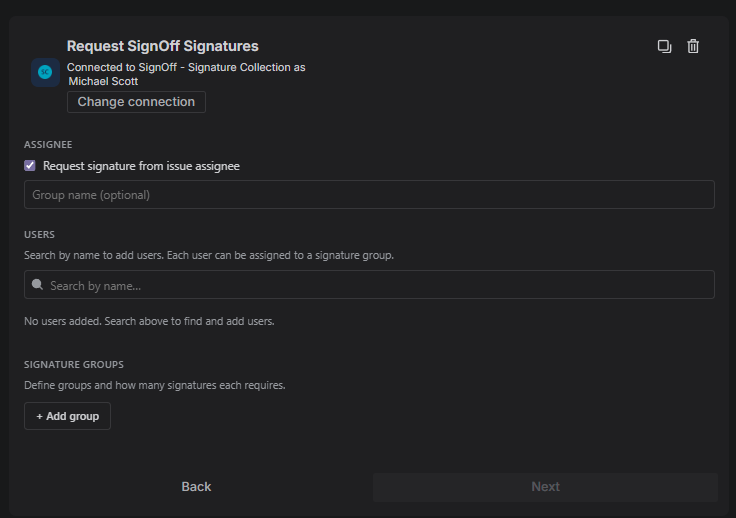
The action configuration form lets you:
- Toggle whether to request a signature from the current issue assignee
- Assign the assignee to a signature group
- Search and add specific users, each optionally assigned to a group
- Define signature group requirements
The action outputs requestedCount, issueKey, and pendingCount as smart values you can use in subsequent rule steps.
Triggering automation from signature events
SignOff updates Jira issue entity properties as signatures are collected:
| Property | Type | Description |
|---|---|---|
signoff.requested |
string | "true" when any signature has been requested |
signoff.pending |
number | Count of outstanding (unsigned) requests |
signoff.groups.satisfied |
string | "true" when every defined group has met its requirement |
You can use these properties as triggers in Jira Automation rules (e.g. "When issue property signoff.pending changes to 0") to drive downstream actions like transitioning the issue, sending notifications, or updating external systems.
For built-in automatic status transitions that don't require Automation for Jira, see Workflow automation.