
Settings
Project settings
Navigate to Jira Settings > Marketplace apps > SignOff Settings to configure per-project options.
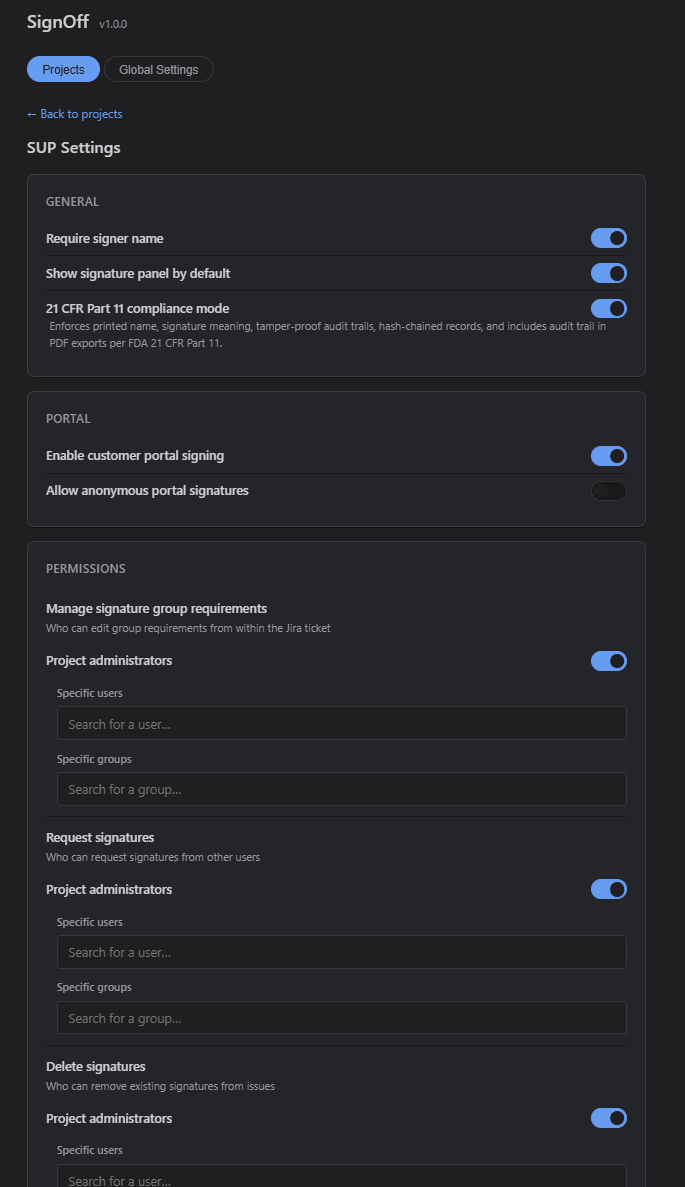
General
- Require signer name — Makes the printed name mandatory before saving.
- Show panel by default — Controls whether the panel starts expanded.
- Enable CFR 11 compliance — Activates the 21 CFR Part 11 features.
Portal
- Enable portal signing — Allows JSM customers to sign from the portal.
- Allow anonymous signing — Permits users without a Jira account to sign.
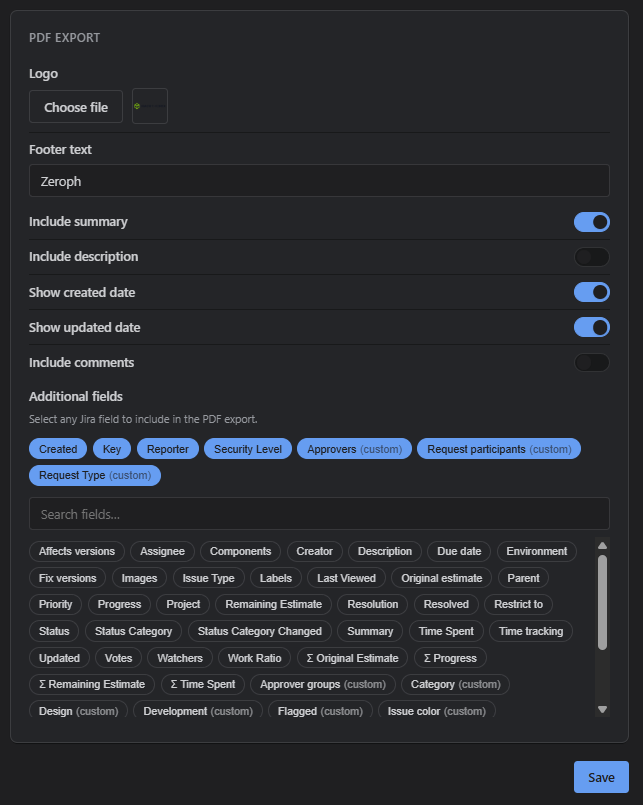
PDF export
Customize the PDF layout per project with logo, footer text, field selection, and toggle options for dates, descriptions, and comments.
Permissions
Control which users can request signatures, manage groups, and delete signatures. Each permission can be granted to specific Atlassian account IDs, groups, or defaulted to project administrators.
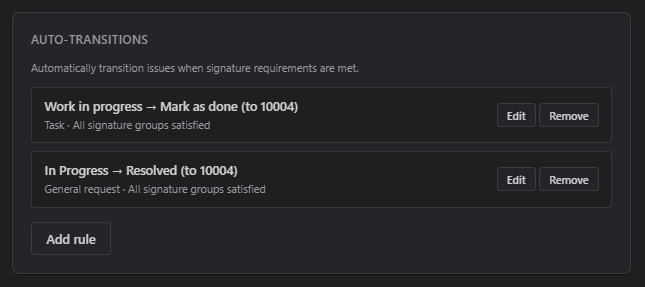
Auto-transition rules
Configure rules that automatically execute a workflow transition when signature requirements are satisfied. See Workflow integration for details.
Global settings
The global settings page is available under Jira Settings > Marketplace apps > SignOff and is restricted to Jira administrators.
Defaults
- Default require signer name — Sets the initial value for new projects.
- Default show panel by default — Sets the initial panel expansion state.
Project visibility
Control which projects display the Signatures panel:
- Enable for all projects — The panel appears on every project (default).
- Select specific projects — When the toggle is off, a filterable project list lets you pick exactly which projects should show the panel. Disabled projects will not see the Signatures entry on issues at all.
Changes propagate via Jira project entity properties and may take a few seconds to apply across all projects.
JSM portal signing
When portal signing is enabled, customers can sign requests directly from the JSM customer portal. The portal view includes a signature canvas, optional name input, and a history of all signatures on the request.
Anonymous signing can be enabled for field-service scenarios where customers sign on an agent's device without needing a Jira account.