
Workflow automation
SignOff provides native Jira workflow modules that can be added to any workflow transition.
Post-functions
Request SignOff Signatures — Automatically requests signatures when a transition fires. The configuration form lets you choose whether to request from the assignee, select specific users, assign groups, and define group requirements.
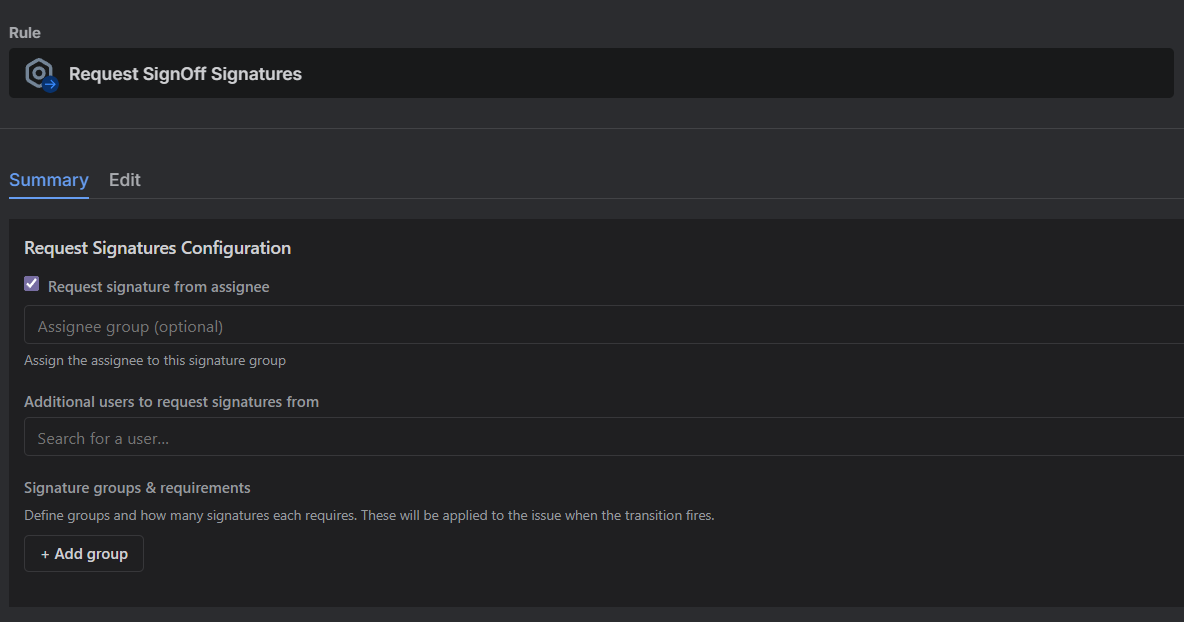
Clear SignOff Requests — Clears all pending signature requests and groups when a transition fires. Useful for reset transitions.
Validators
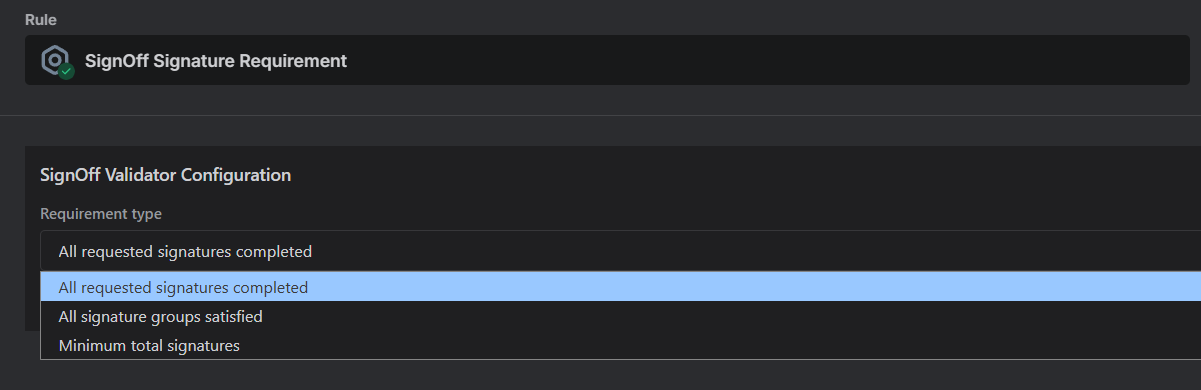
SignOff Signature Requirement — Blocks a transition unless signature requirements are met. The configuration form offers three modes:
- All requested — every pending request must be completed
- Minimum count — at least N total signatures are required
- Groups — each defined group must reach its required count
Conditions
SignOff Signature Requirement — Hides a transition button until requirements are met. Uses the same configuration modes as the validator.
Auto-transitions
In the project settings under Auto-Transitions, you can define rules that automatically execute a workflow transition when signature requirements are satisfied. This allows issues to move through your workflow without manual intervention once the required signatures are collected.
Rules specify:
- Which issue types the rule applies to (only issue types sharing the same workflow can be grouped)
- The status the issue must be in
- The transition to execute
- The trigger condition (all pending signed, all groups satisfied, or minimum count)
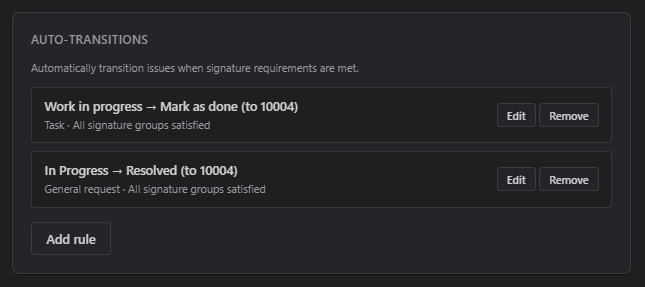
Auto-transition rules are configured per project under Settings. You can also trigger status transitions reactively using Automation for Jira rules based on signature event properties.