PDF export
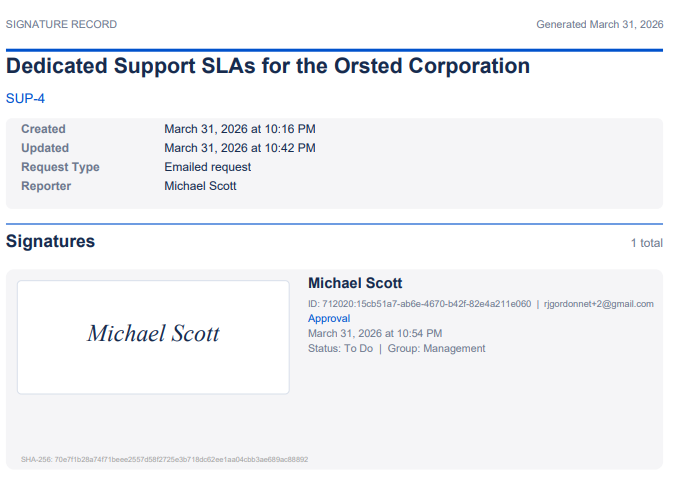
From the signature history, click Export PDF to generate a document containing:
- Header with optional project logo
- Issue details including key, summary, status, and any custom fields you select
- All signatures with signer identity, Atlassian account ID, timestamp, group, meaning, and tamper-evident hash
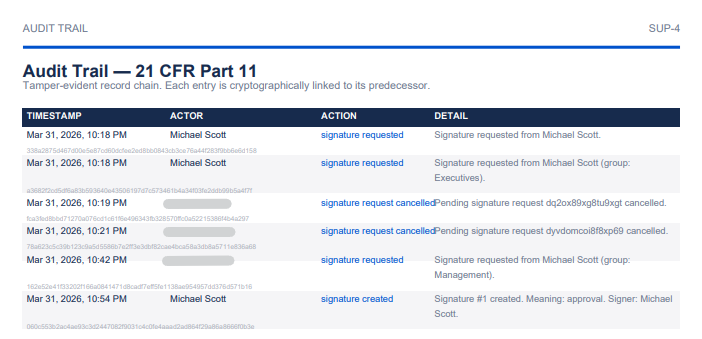
- 21 CFR Part 11 audit trail on a dedicated page (when compliance is enabled)
- Footer with configurable text and page numbers
Typed signatures render as native vector text in the PDF for maximum clarity. The PDF is generated entirely in the browser — no data is sent to external servers.
Audit trail page
When 21 CFR Part 11 compliance is enabled, the PDF includes a dedicated audit trail page listing every significant action with timestamps, actors, and cryptographic hash values forming a tamper-evident chain.
Customization
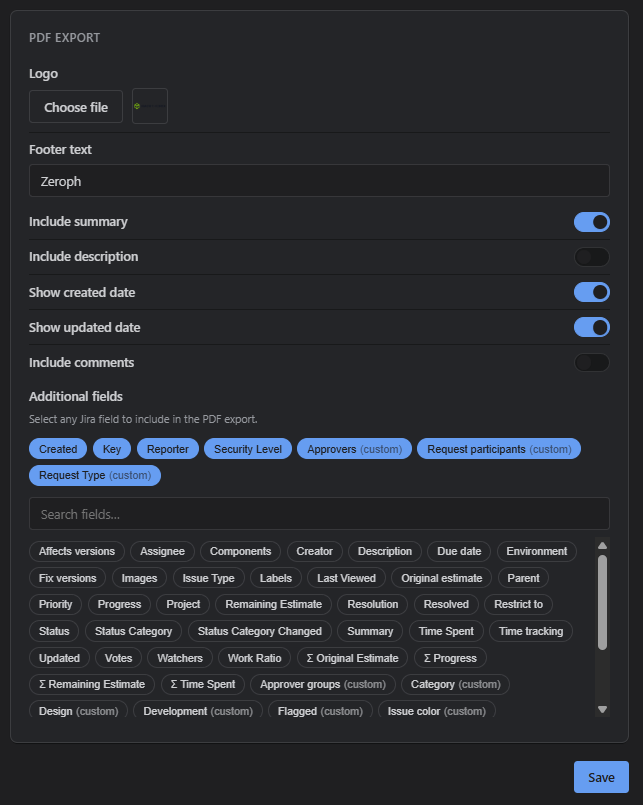
The PDF layout can be customized per project in the project settings. You can configure a project logo, footer text, which Jira fields to include, and whether to show dates, descriptions, and comments.